
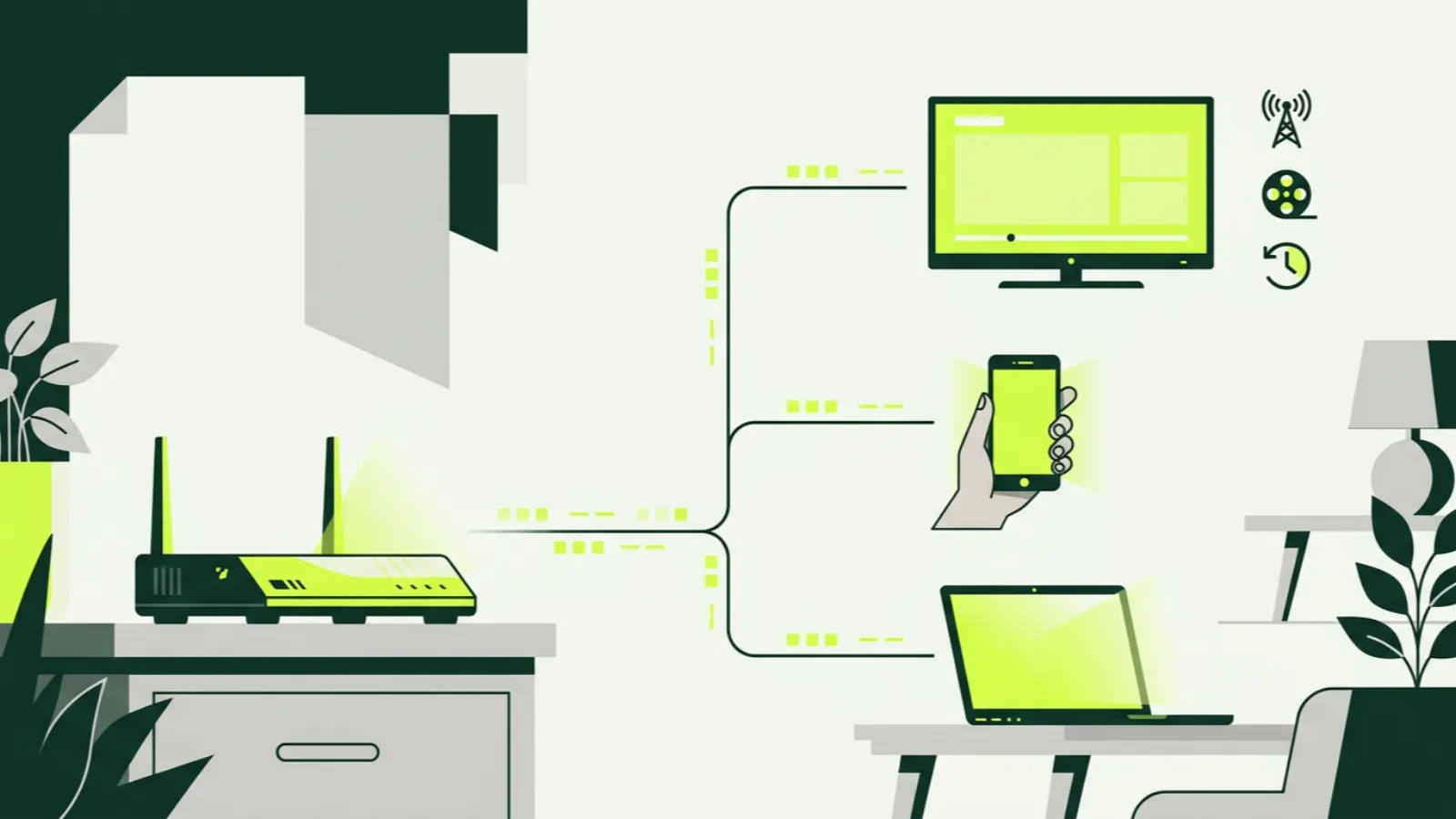
What is IPTV? IPTV stands for Internet Protocol Television. In plain terms, it is live TV channels sent to you over your internet connection, instead of through a cable company’s coaxial line or a satellite dish on the roof.
You already use the same idea every time you open a streaming app. The difference is that IPTV carries scheduled live channels, the way cable does, alongside movies and series you can start any time. For Canadians, that means you can watch TSN, CBC, a Punjabi news channel or a Filipino drama on the same app, on a TV, phone or laptop.
How does IPTV work?
A traditional cable signal travels down a dedicated line into your home, where a set-top box decodes it. Satellite TV beams the signal from space to a dish. Both are one-way broadcast systems: every channel is sent all the time, whether you watch it or not.
IPTV works differently. When you pick a channel, your device asks a server for that stream, and the server sends it to you as data packets over the internet. Only the channel you are watching travels to your home. Change the channel, and your device asks for a different stream.
That is why IPTV can carry far more channels than a cable box. A cable line has physical limits on how many channels fit. An IPTV service is limited mainly by its servers and your bandwidth. IP2TV, for example, carries 16,000+ live channels, a number no cable package in Canada comes near.
The trade-off is that IPTV depends entirely on your internet. If your connection is slow or your Wi-Fi is weak, the picture suffers. Cable does not have that problem in the same way.
IPTV vs cable, satellite and Netflix: what is the difference?
People often lump these together. They are quite different products.
| Cable / satellite | IPTV | Netflix-style streaming | |
|---|---|---|---|
| Delivery | Coaxial line or dish | Internet | Internet |
| Live channels | Yes, a fixed lineup | Yes, often a very large lineup | Few or none |
| On-demand | Limited, through the box | Movies and series libraries | Main focus |
| Equipment | Rented box from the provider | Your own device and an app | Your own device and an app |
| Contract | Often a fixed term | Usually prepaid, no contract | Monthly |
| Install | Technician or self-install kit | Install an app | Install an app |
Note that Bell, Rogers, Telus and Videotron also sell TV over the internet through their own apps and boxes. Technically, those are IPTV too. When most people say “IPTV” in Canada, though, they mean an independent subscription service that you use with your own device. Our IPTV vs cable comparison goes deeper into which suits whom.
Netflix, Crave, Disney+ and similar apps are mostly on-demand libraries. They do not give you scheduled live channels like a 24-hour news network or a sports channel showing tonight’s game. IPTV fills that gap.
What do you need to watch IPTV in Canada?
Three things: a subscription, a device and a decent internet connection.
A device
Chances are you already own one. The most common in Canadian homes:
- Fire TV Stick — cheap, plugs into any HDMI port. See the Firestick setup guide.
- Android TV or Google TV — built into many Sony, TCL and Hisense sets, or as a separate box. See the Android TV guide.
- Samsung or LG smart TV — works through an app on the TV itself. See the smart TV guide.
- iPhone, iPad and Android phones — handy for watching in bed or on the go. See the iOS guide and Android phone guide.
- Windows or Mac — through an app or our web player in any browser.
- Formuler and MAG boxes — dedicated IPTV boxes, built for long sessions with a remote.
Roku is the awkward one: it works only through screen mirroring, with limits. Full instructions for every device are in our install guides.
Internet speed
As a rule of thumb, plan for about 15 Mbps for an SD stream, 25 Mbps for HD and 50 Mbps for 4K. If two people watch at once, add the numbers together.
How you connect matters as much as raw speed. A TV plugged into the router with an Ethernet cable is the most stable. Next best is 5 GHz Wi-Fi. The older 2.4 GHz band is slower and more crowded, especially in apartment buildings in dense neighbourhoods. If you see freezing, our buffering guide covers the fixes.
A subscription
A subscription gives you login details for a provider’s servers. With IP2TV, plans start at C$26.99 for one month, and the yearly plan comes to about C$9.17 a month. Full details are on the pricing page. Before paying anything, you can test with a 36-hour free trial that needs only an email address.
M3U vs Xtream codes vs apps: how do you log in?
When you sign up, a provider gives you a way to load its channels into an app. There are three common formats.
M3U playlist
An M3U link is a web address pointing to a text file that lists every channel. You paste it into a player app, and the app builds the channel list. It is simple and widely supported. The downside is that very large M3U lists can load slowly, and the guide and movie library may need to be added separately.
Xtream codes
Xtream codes is a login format with three pieces: a server address, a username and a password. Apps that support it pull in live channels, the programme guide, movies and series in one go. For most people this is the smoother option.
The provider’s own app or web player
Some services, including IP2TV, also offer their own player. Ours runs in any web browser and on TVs, so you can start watching without picking an app. It is a good way to check the service during a trial before deciding which app you prefer on your main TV.
Whichever you choose, the logins are the same subscription. You are only choosing the front door.
Live TV vs VOD vs catch-up: what is the difference?
IPTV services usually bundle three types of viewing.
Live TV is the scheduled channel, just like cable. The hockey game, the evening news, a morning show. You watch what is airing now.
VOD, or video on demand, is a library of movies and series you start whenever you want. IP2TV’s library has 135,000+ movies and 33,000+ series. VOD is usually more forgiving on a weaker connection because the app can load ahead.
Catch-up sits in between. On channels that support it, you can go back in the guide and watch a programme that aired in the past few days. Missed the late news? Scroll back and play it. Not every channel offers catch-up, so check the ones that matter to you.
The EPG, or electronic programme guide, ties it together. It is the grid that shows what is on now and next, and it is where you launch catch-up from.
Who is IPTV good for in Canada?
IPTV tends to suit a few kinds of households especially well.
Families with roots abroad. Canada is home to large communities who want TV in Hindi, Punjabi, Arabic, Tagalog, Cantonese, Mandarin, Farsi, Portuguese, Italian and many other languages. Cable carries some of these as paid add-ons; IPTV usually carries far more. See international IPTV channels in Canada for the groups we offer.
Cord-cutters. If you are tired of a cable bill and a box rental for channels you never watch, IPTV gives you live TV without a contract.
Sports fans. Canadian sports networks, US channels and international leagues in one place. Our guides on watching the NHL without cable and the Premier League in Canada go into detail.
Multi-device homes. Watch on the living-room TV, a phone or a laptop with the same subscription, within the number of connections you pay for.
IPTV is less suited to homes with slow or unreliable internet, or to anyone who wants a single bill from one company with a technician on call. That is where cable still makes sense.
Is IPTV legal and safe?
IPTV as a technology is legal in Canada; the cable companies use it themselves. Whether a particular service is legal depends on whether it has the rights to what it streams. We explain this carefully, including Canadian court orders against some providers, in is IPTV legal in Canada.
Safety is a separate question, covering payments, apps from unknown sources and privacy. Our guide to whether IPTV is safe in Canada covers what to check.
How to try IPTV without risk
The simplest way to understand IPTV is to use it for an evening. Start the IP2TV free trial: enter your email, and logins arrive by email. Install on your TV using the right device guide, watch during prime time and check your favourite channels.
When the 36 hours are up, the trial ends on its own and nothing is charged. If you are comparing providers, our best IPTV in Canada guide has a checklist to run during any trial.
